
WABA Balance
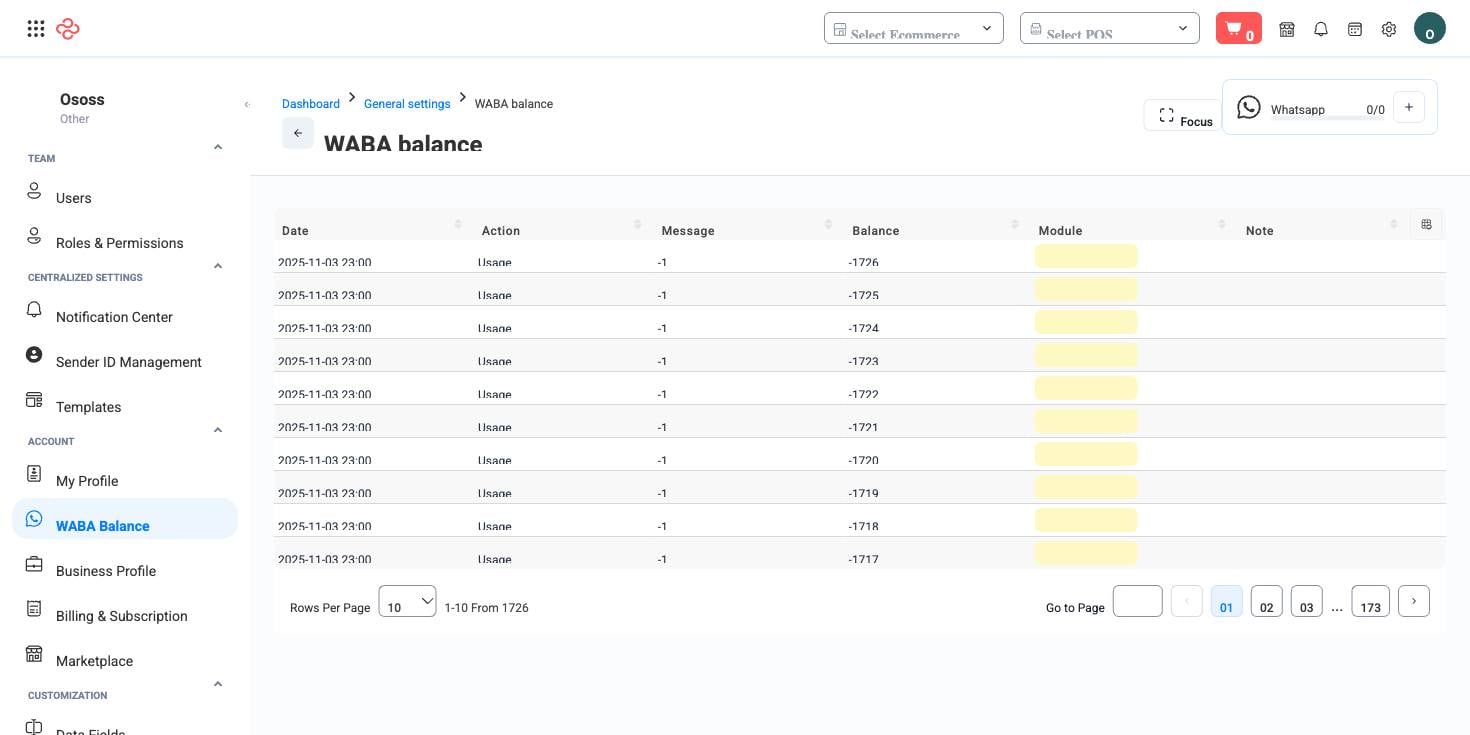
WABA Balance is the ledger of your WhatsApp Business API credit - the balance that every WhatsApp notification and marketing message you send draws from, and a line-by-line record of what consumed it.
Menu path: Settings > WABA Balance
URL: https://my.ososs.com/dashboard/general-settings/waba-balance
How WhatsApp credit works
WhatsApp is not free outbound messaging. Meta charges per conversation, and OSOSS meters that cost against a prepaid balance held for your account. Two very different kinds of traffic draw on the same balance:
| Traffic | Examples | Volume |
|---|---|---|
| Transactional notifications | Order confirmed, order dispatched, payment received, invoice sent | Steady, proportional to sales |
| Marketing campaigns | A promotion sent to a customer segment | Spiky, and entirely under your control |
The list is a movement log, not just a number. Each row shows the date, the module that consumed or added credit, the message it relates to, the action, a note, and the resulting balance - so you can attribute spend to a campaign or to routine order traffic rather than guessing.
WhatsApp messaging is a marketplace add-on. If the page is empty or the feature is unavailable, activate it from the Marketplace (paid add-on).
Using the page well
- Check the balance before any large campaign send. A campaign that exhausts credit halfway through reaches half its audience and cannot be resumed cleanly.
- Filter to a date range around a campaign and read the movements. Dividing that spend by the orders the campaign produced is your real cost per order.
- Watch the transactional baseline separately. It grows with your order volume, so a balance that lasted a month in a quiet season will not last a month in a busy one.
- Top up before the season, not during it.
Full reference
Every option and control on this page, at a glance.
Filters (5)
- Identity and numbering: Code
- Dates and periods: From date, To date
- Other: Action, Module
Standard list tools
Every list page in OSOSS shares these controls:
- Manage columns - the icon at the right edge of the header row: search columns, tick to show or hide, drag to reorder. Your selection persists for your user.
- Quick search - matches the page's primary field.
- Filter chips + More Filters - the chips are your defaults; More Filters exposes the full set below.
- Save Filter / Saved Filters - name a filter combination and recall it in one click; one can be your default view.
- Reset - clears filters back to defaults.
- Export All - downloads the current filtered rows with exactly the columns you have selected.
- Focus - hides the surrounding chrome for a full-width table.
- Row selection - the header checkbox selects the page or all matching rows, enabling bulk actions.
- Rows per page and page jumper - at the foot of the table.
- Custom fields - anything you define under Settings > Custom Fields appears here as both a column and a filter.
Related pages
- WhatsApp Templates - the approved message templates you send
- WhatsApp Segments - the audiences campaigns go to
- Notification Center - which events send messages at all
What you can do on this page
Every action on this page, step by step. What you see depends on your role, so a control your account is not set up for simply does not appear.
Export the list
- Filter and choose your columns first - the export mirrors exactly what is on screen, not the whole table.
- Click Export All.
- The file downloads as a spreadsheet: one row per record, your visible columns in your order.