
Account Transactions
Account Transactions is the statement of one account: every movement in date order with a running balance, and enough detail on each line to know exactly what caused it.
Menu path: Accounting > Reports > Account Transactions
URL: https://my.ososs.com/dashboard/reports/account-transactions
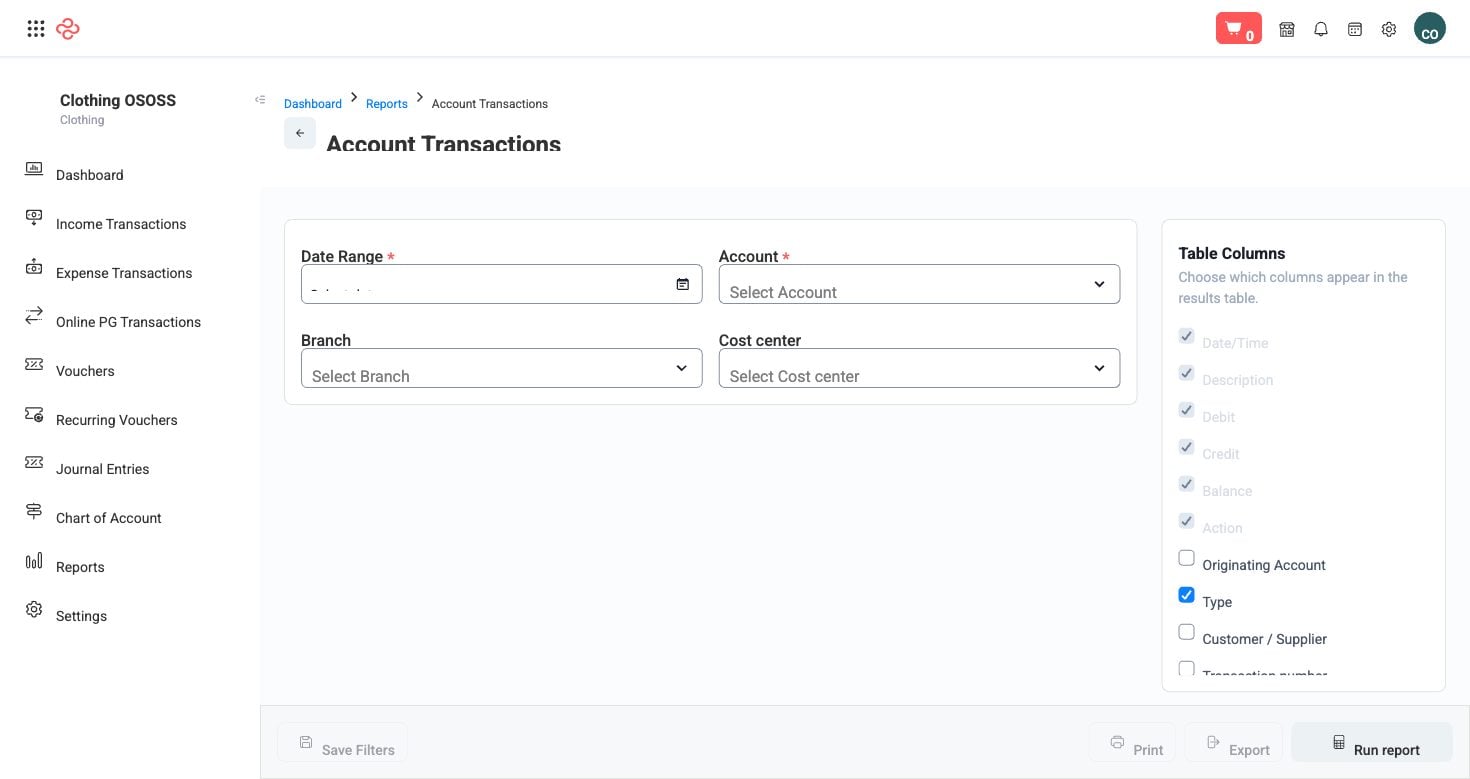
Screenshot from the live OSOSS Dashboard
What the output shows
| Column | What it means |
|---|---|
| Date | When the movement posted |
| Description | What the line is |
| Debit / Credit | The amount on each side |
| Balance | The running balance after the line |
| Originating account | The other side of the entry |
| Customer / Supplier | The party involved, where there is one |
| Seller | The salesperson or cashier behind the transaction |
| Payment method / Payment details / Payment reference | How the money moved and its reference |
| Notes | Any note recorded |
| Added by | Who created the record |
| Action | What can be done with the line |
The running balance is what distinguishes this from Journal Items. Reading down the balance column shows the account's story - when it rose, when it was cleared, and where it drifted.
Reading it
- Pick the account and the period. This is a per-account report; it is at its most useful on bank, cash and customer or supplier accounts.
- Reconcile a bank account by reading the balance column against your bank statement line by line. The first row where the two disagree is the entry to investigate.
- Use originating account to understand a line without opening the document - it names the other side of the entry.
- Check payment reference when matching against a bank feed or a customer's remittance advice. A missing reference is the usual reason a payment cannot be matched later.
Tip: Reconcile your bank accounts monthly using this report, and do it before you look at profit. Unreconciled cash means every other figure is provisional.
Note: Only posted movements appear, so a bank balance here can differ from your actual bank balance by whatever is unposted or uncleared - cheques in particular, which are tracked in the Cheque Register.
Related pages
- Journal Items - all accounting lines rather than one account
- Chart of Accounts - the account being reported
- Cheque Register - what is issued but not yet cleared